
Plan on-brand content across multiple platforms easily
One calendar per brand, with every platform on it. Move a post and its time goes along. What needs you is the thing that stands out.
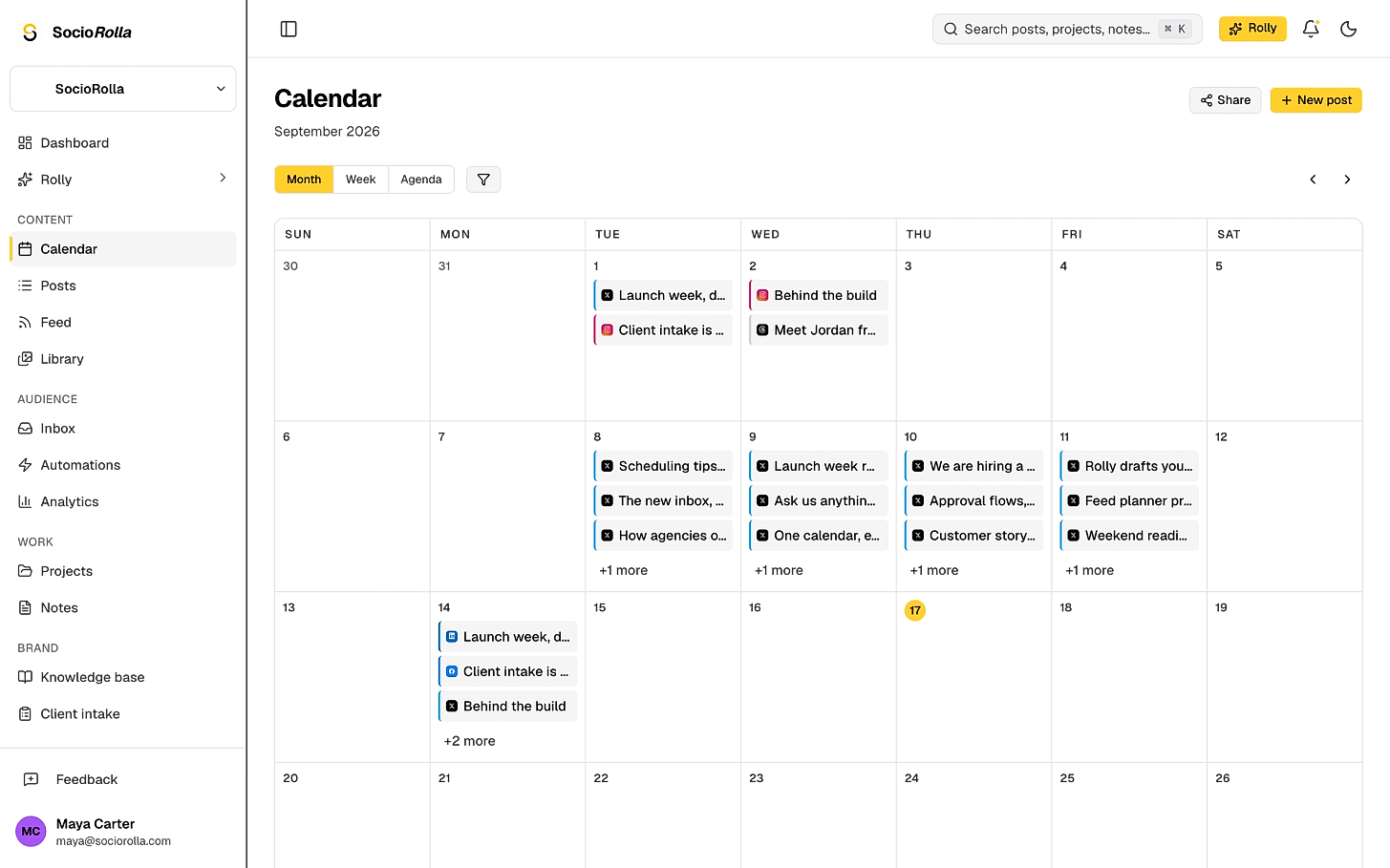
Colour to help you identify items on your calendar
Platform colour on every post, and only three status keys: waiting on an approval, failed, or an idea with no date yet. Everything else is simply scheduled.
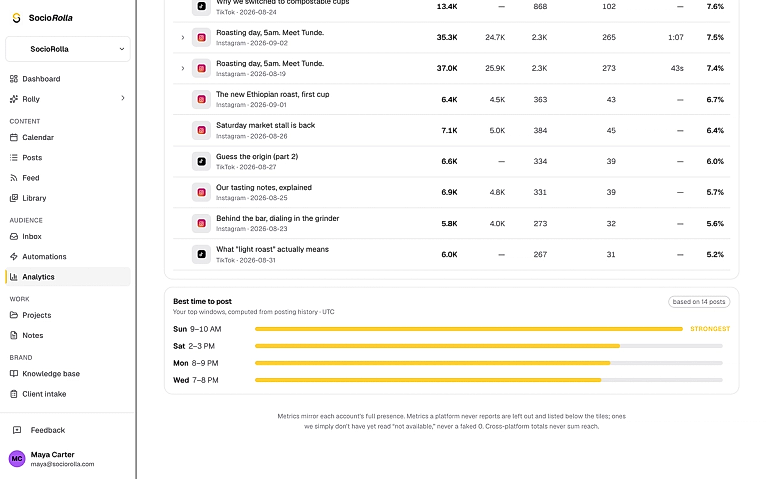
Post when your audience are active
No platform will tell you when your audience is awake, we do: every weekday and hour scored by the engagement it earned, in the brand’s timezone. On every plan.
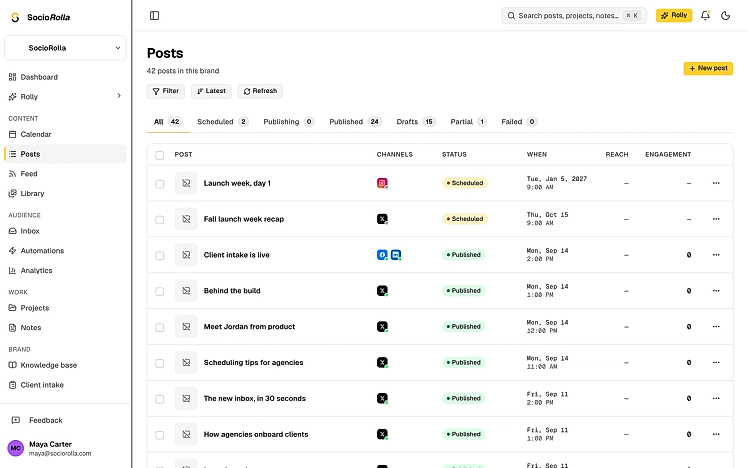
See all your posts from one view
Filter by scheduled, publishing, published, drafts, partial or failed, with reach and engagement beside everything that has gone out.
- Per-platform publish times on one post
- A clear reason when a platform refuses
- Retries before anything is called failed
- Shared drafts marked as shared
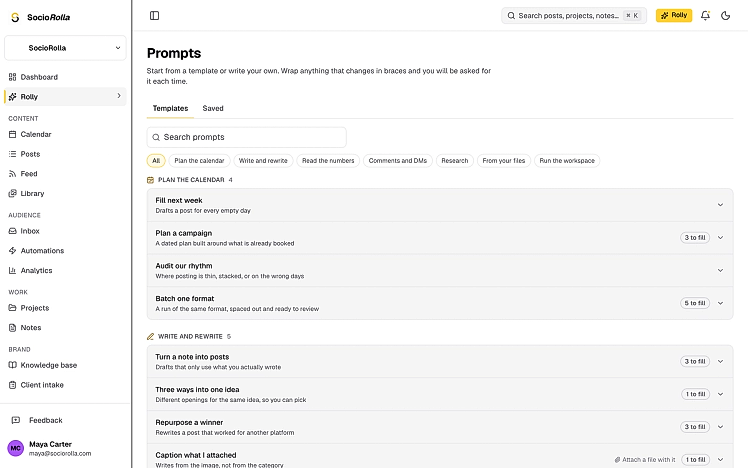
Let Rolly help when you have nothing planned
The prompt library has ready-made templates: fill every empty day next week, plan a campaign around what is already booked, or audit how often you are posting. Drafts land for review, never straight out.
- Writes in your brand voice
- Uses what you have posted recently
Everything in planning
- One calendar per brand, every platform on it
- Drag to reschedule, keeping the time
- Month, week and agenda views
- Instagram feed planner, to see the grid before you post
- Ideas with no date, parked on the calendar
- Filter by platform, status, or hide the ideas
- Share a read-only calendar with a client
- Google Calendar push, and your events shown beside the posts
Planning questions
No. Drag it to another day and it keeps the time it had, per platform.
Keep exploring
Manage accounts without the overwhelm
Bring one brand or twelve; SocioRolla helps you keep up.