
Onboard a client with one link
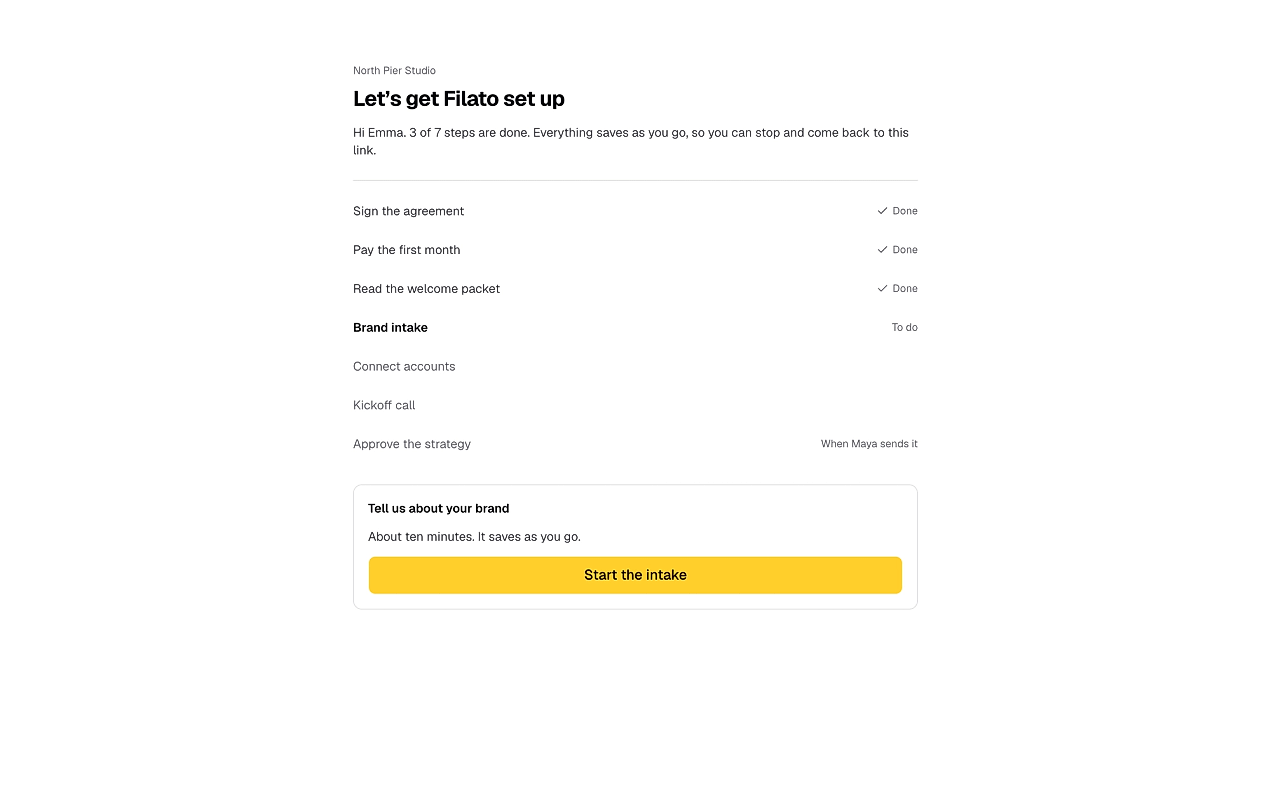
Your client signs the agreement, pays the first invoice, fills in the brief and connects their accounts from one page, with no login. You see which step every client is on, and what is waiting on you.
What it takes off your hands
- The contract in one tool, the invoice in another
- A questionnaire pasted into an email thread
- A week of chasing logins and the logo
- A kickoff call booked over five emails
- One link for the whole setup
- Signed, paid and briefed on one page
- Accounts connected without a shared password
- A reminder goes out when a client goes quiet
Every step, in your order
Your playbook decides which steps a client sees. They open one at a time, and nothing after the payment opens until you confirm it.
Sign the agreement
Your own PDF, signed in the hub and confirmed with an emailed code.
Pay the first invoice
Through your own payment link. You confirm it before the next step opens.
Read the welcome packet
Your file or link, so they know how you work.
Fill in the brand intake
Voice, audience, products and files, saved as they type.
Connect their accounts
On each platform’s own sign-in page. You approve each one.
Book the kickoff call
On your booking page. They tell you when, you set the time.
Approve the strategy
Your own document, or a draft Rolly writes from the calls and the intake.
Start onboarding in a minute
Open the client, pick a playbook, check the first invoice and send. Your client gets one link and never makes an account.
- Start from the built-in Standard retainer, or your own playbook
- Up to ten steps per client
- Skip, restore or edit a step after you start
- A link that lasts 30 days, 90 days or never expires
Contracts signed in the hub
Upload the agreement you already use as a PDF and mark where the client signs. They sign in the hub and confirm with a code sent to their email.
- A typed or drawn signature
- A signing certificate added as the last page
- The signed PDF emailed to you and your client
- Replace the file and unsigned clients move to the new version
Paid before the work starts
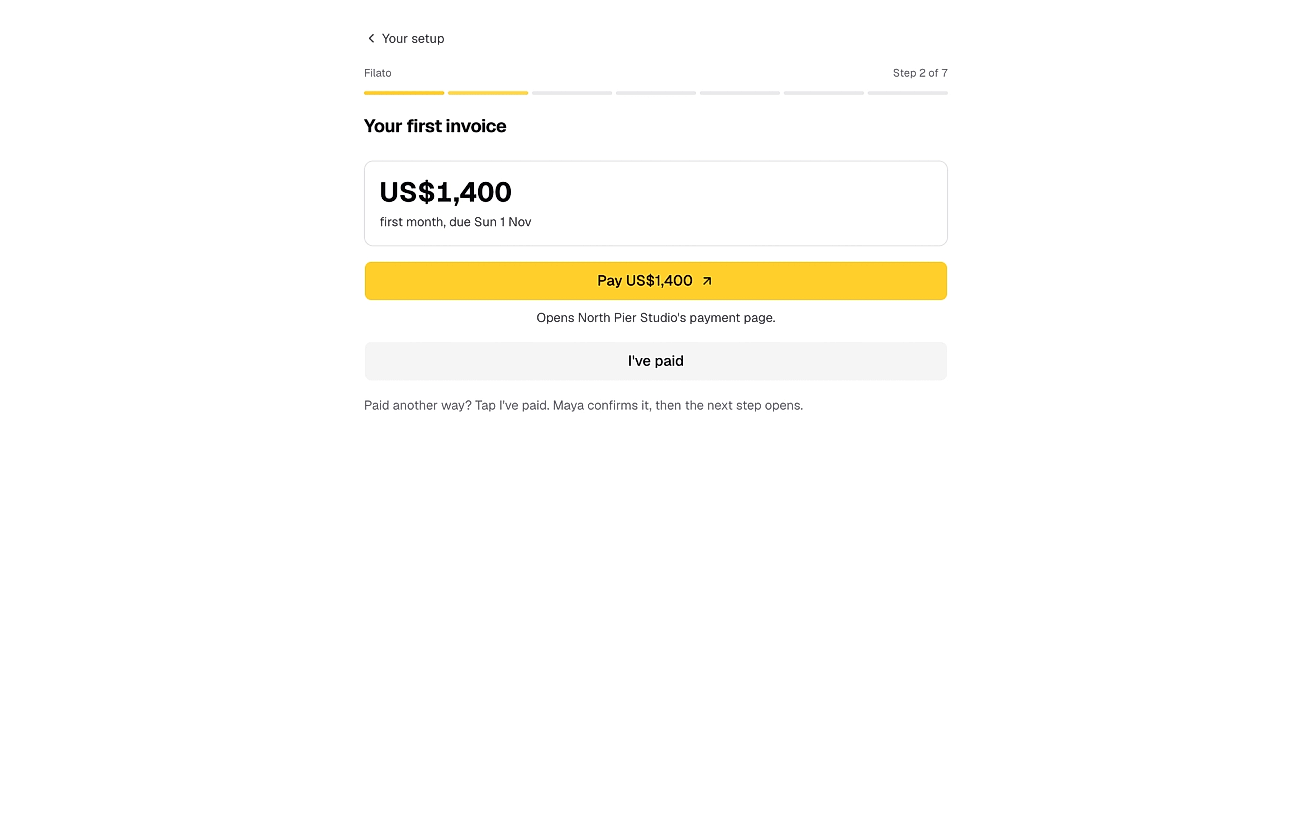
Add the amount and your own payment link. Your client pays you directly and taps I’ve paid. The steps after it wait until you confirm.
- No payment passes through SocioRolla
- Use the payment page you already have
- A payment to confirm shows up on your Home
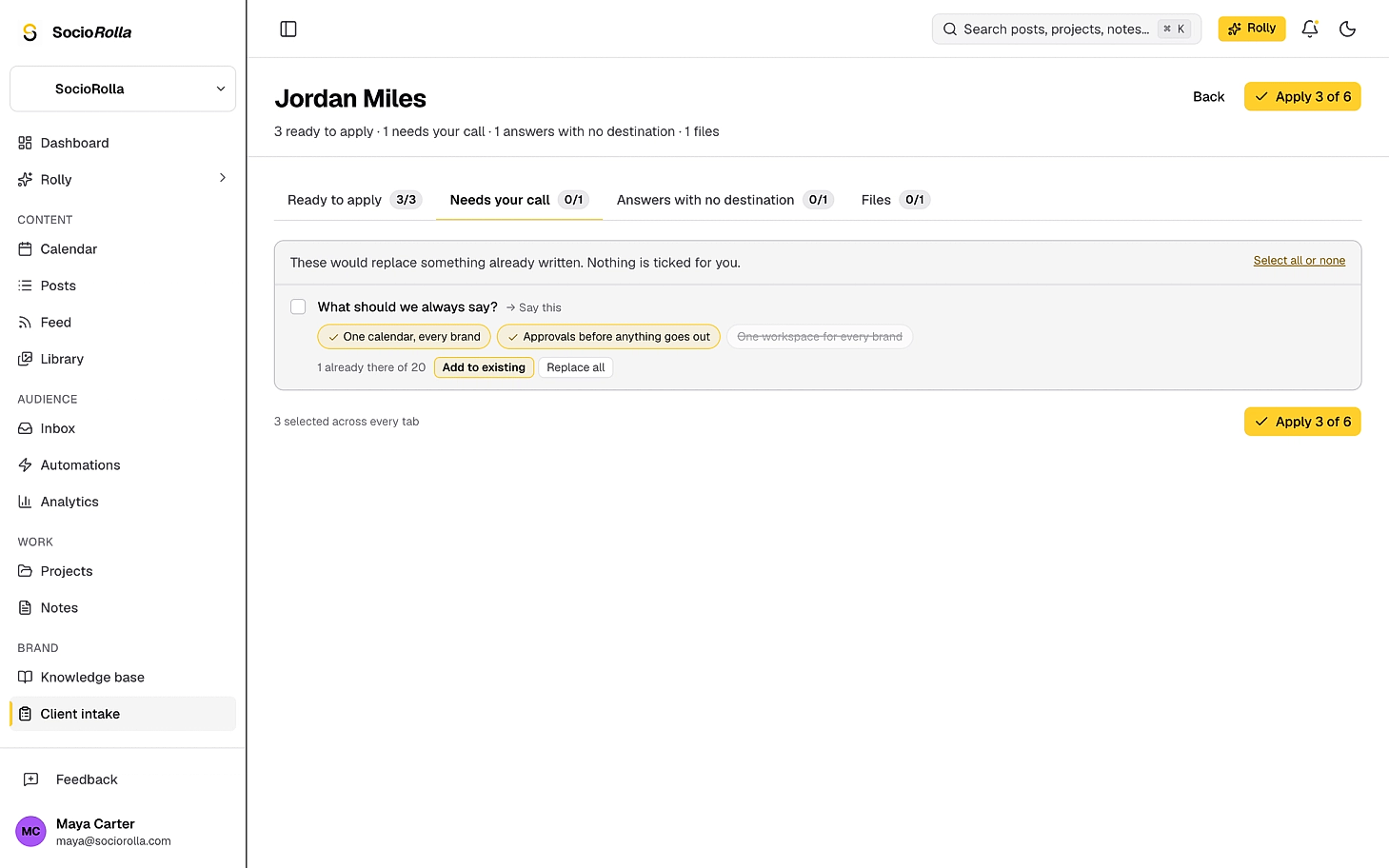
Nothing from the intake is saved until you say so
The brand intake sits inside the hub. A finished one arrives as a review, sorted into four piles, and you tick what goes into the brand’s knowledge base.
Accounts connected, no passwords shared
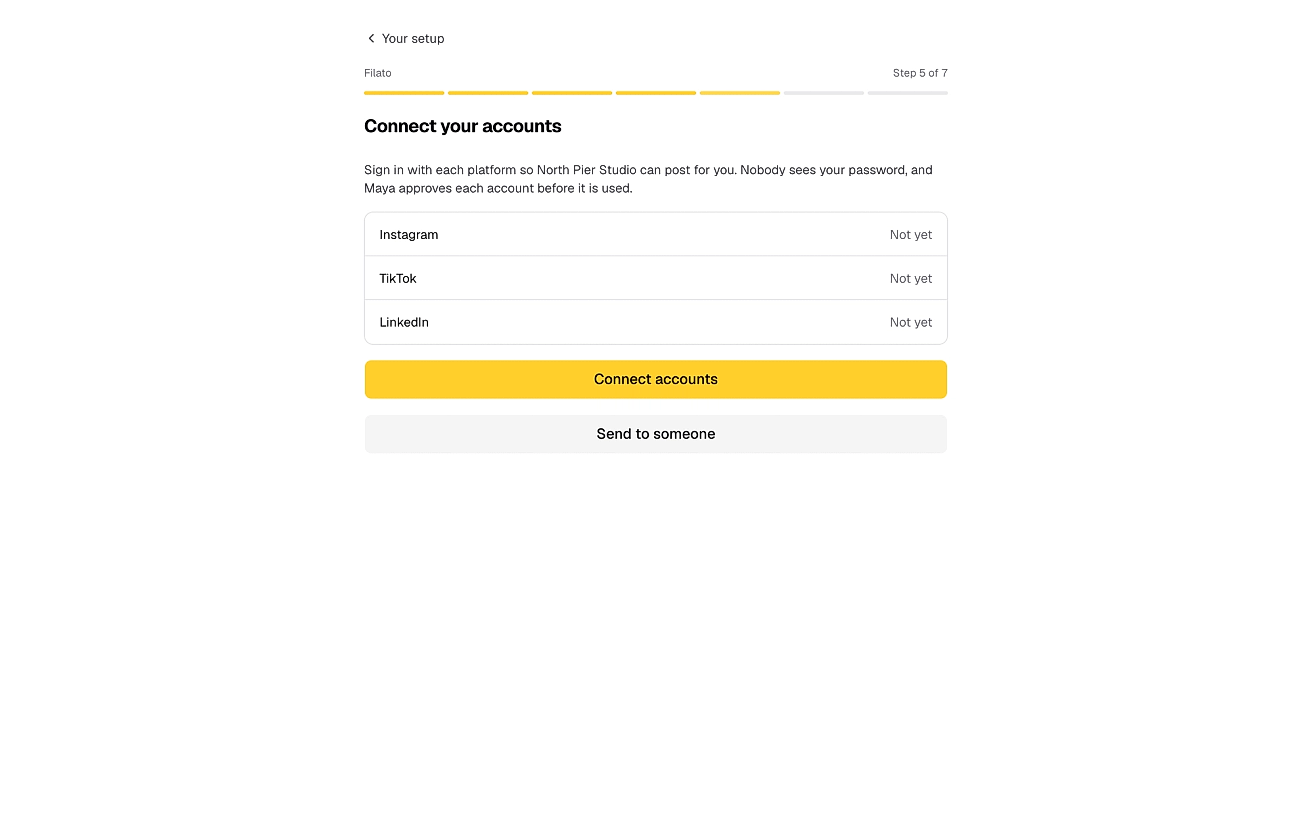
Your client signs in to each platform on the platform’s own page. You approve every account before anything is posted from it.
- Or they send the step to whoever holds the logins
- The step finishes when every account is approved
- A reconnect link if an account drops later
Know what is waiting on you
Each client’s hub shows every step and who it is waiting on. Payments to confirm, accounts to approve and kickoff times land on your Home.
- Two reminders when a client goes quiet, then you hear it stalled
- View the hub exactly as your client sees it
- Pause reminders, reset the link or close it
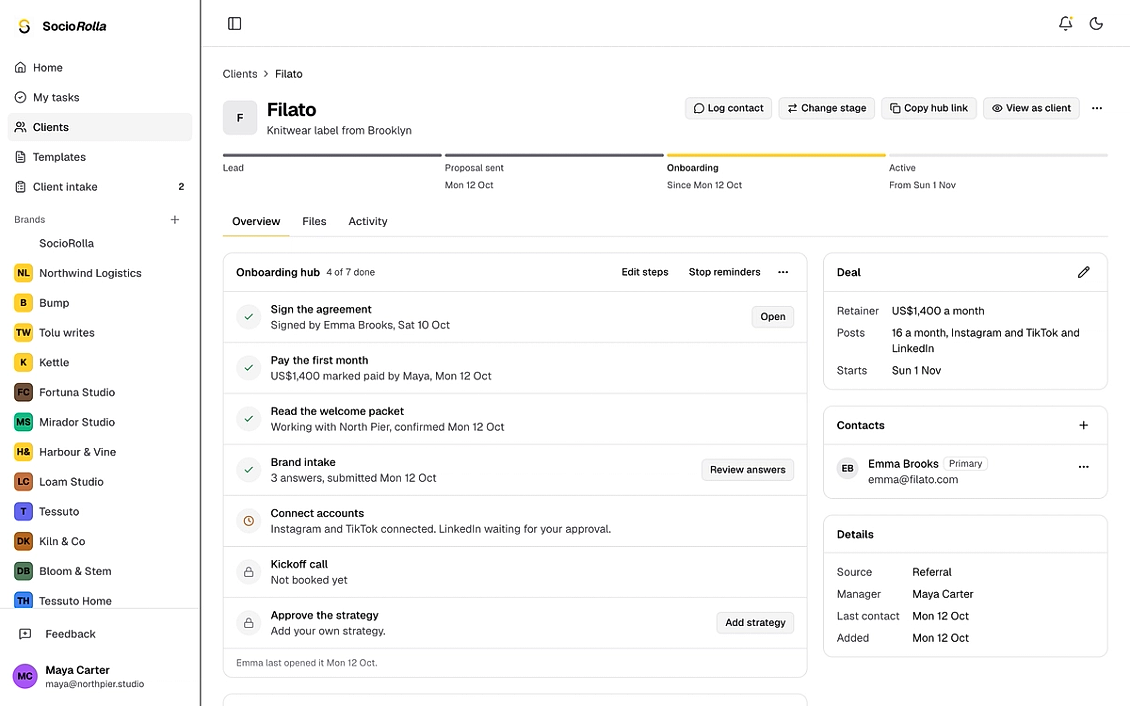
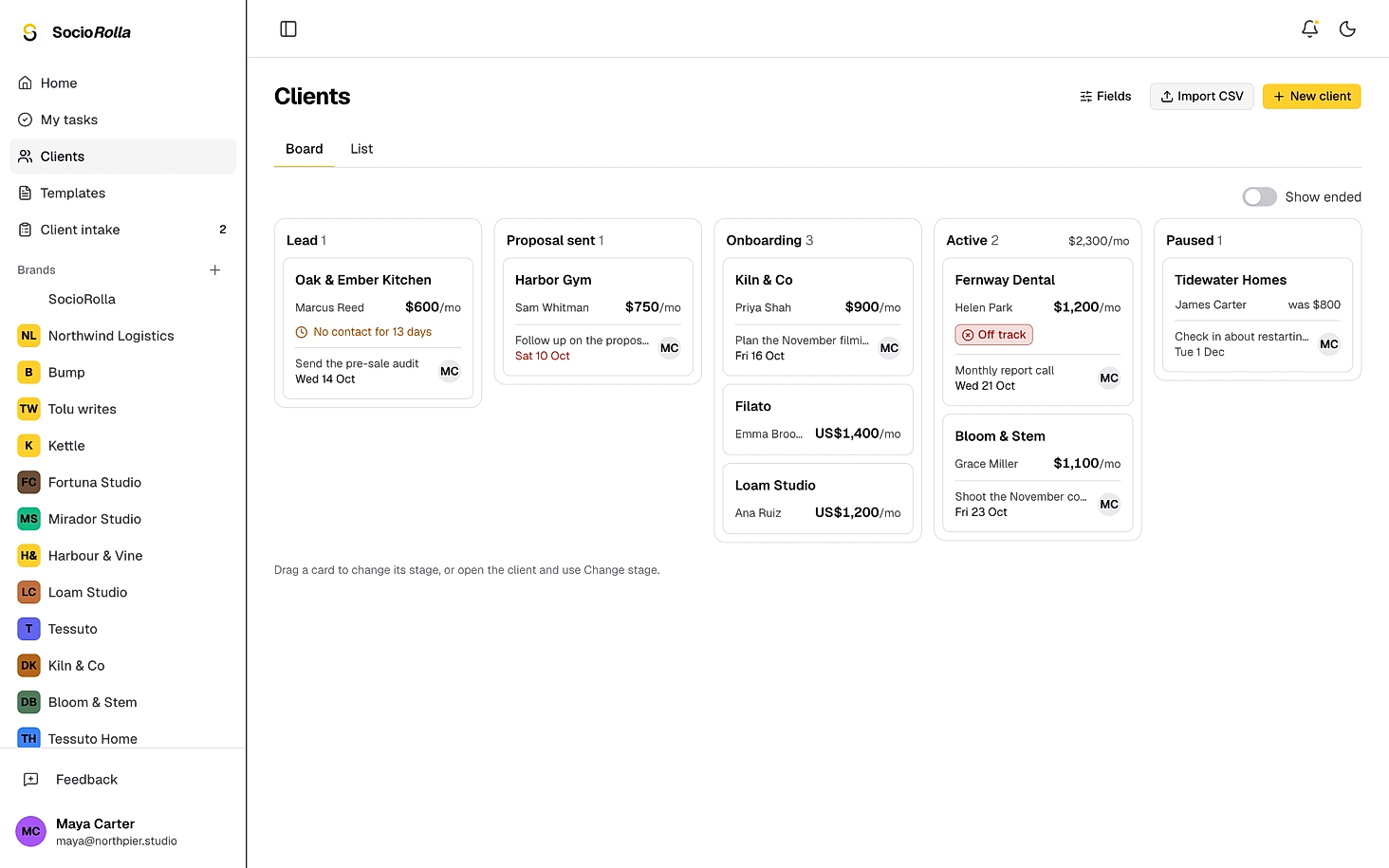
Every client, from lead to active
A client sits above their brands, with contacts, the retainer, files and a history of everything that happened. Owners and admins see it; your team keeps working in the brands.
Six stages
Lead, Proposal sent, Onboarding, Active, Paused and Ended.
Above the brands
One client can own several brands, and a lead needs none yet.
Contacts and the retainer
Up to twenty contacts, the monthly amount, posts a month and platforms.
Your own fields
Text, numbers, dates, options and links, filterable on the list.
Files and history
Contracts and briefs in one place, with every change logged.
Import from a CSV
Map your columns, check the result, then bring them in.
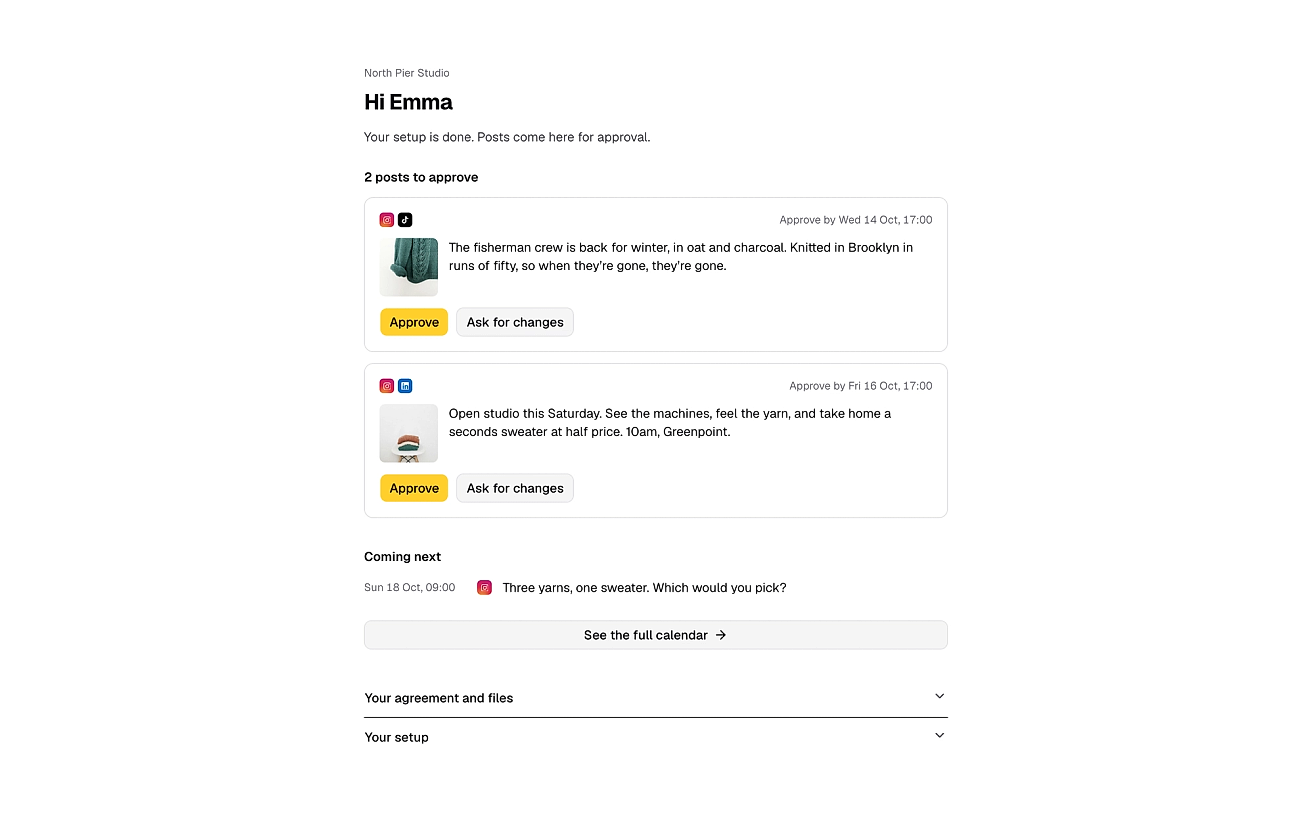
After onboarding, the link is their portal
When the last step is done, the same link opens your client’s portal: posts to approve, what is coming next, and their agreement and files.
- Approve, or ask for changes with a note
- The full calendar one tap away
- Your logo and colour on the hub and portal, on Max
Everything in client onboarding
- One link, no login, on any device
- Playbooks you build once and reuse
- Your own agreement, signed in the hub
- Your own payment link, confirmed by you
- Welcome packet as a file or a link
- The brand intake, reviewed before anything is saved
- Accounts connected without a password changing hands
- Kickoff booked on your own calendar link
- A strategy to approve or send back with notes
- Reminders after three and ten quiet days
- A client record with stages, contacts and files
- Your agency’s logo and colour on Max
Onboarding questions
Does my client need an account?
No. They open the link and work through the steps on any device. Everything saves as they go, so they can stop and come back to the same link.
Can I change the steps?
Yes. A playbook sets the steps and their order. Start from the built-in Standard retainer or build your own, and skip, restore or edit a step for one client after you start. A client works through up to ten.
How does signing work?
You upload your agreement as a PDF and mark where the client signs. They type or draw a signature, agree to sign electronically and enter a code we email them. You both get the signed PDF with a signing certificate on its last page. Only your client signs; there is no countersignature yet.
Do you take the payment?
No. The invoice step links to your own payment page, so the money goes straight to you. Your client taps I’ve paid, and the steps after it wait until you confirm.
Does the kickoff call book itself?
It uses your booking link. Your client books on your page and taps I’ve booked, then you set the agreed time and it shows in their hub.
Where do the intake answers go?
Nowhere on their own. A finished intake arrives as a review, and you accept the answers that go into the brand’s knowledge base.
Does anything chase the client for me?
Yes. A reminder after three quiet days and another a week later. If they stay quiet, you are told the hub has stalled.
Which plans include it?
Client onboarding, playbooks and agreements are on Pro and Max. The brand intake on its own is on every paid plan.
Keep exploring
Manage accounts without the overwhelm
Bring one brand or twelve; SocioRolla helps you keep up.