
An assistant that always gives you on-brand answers
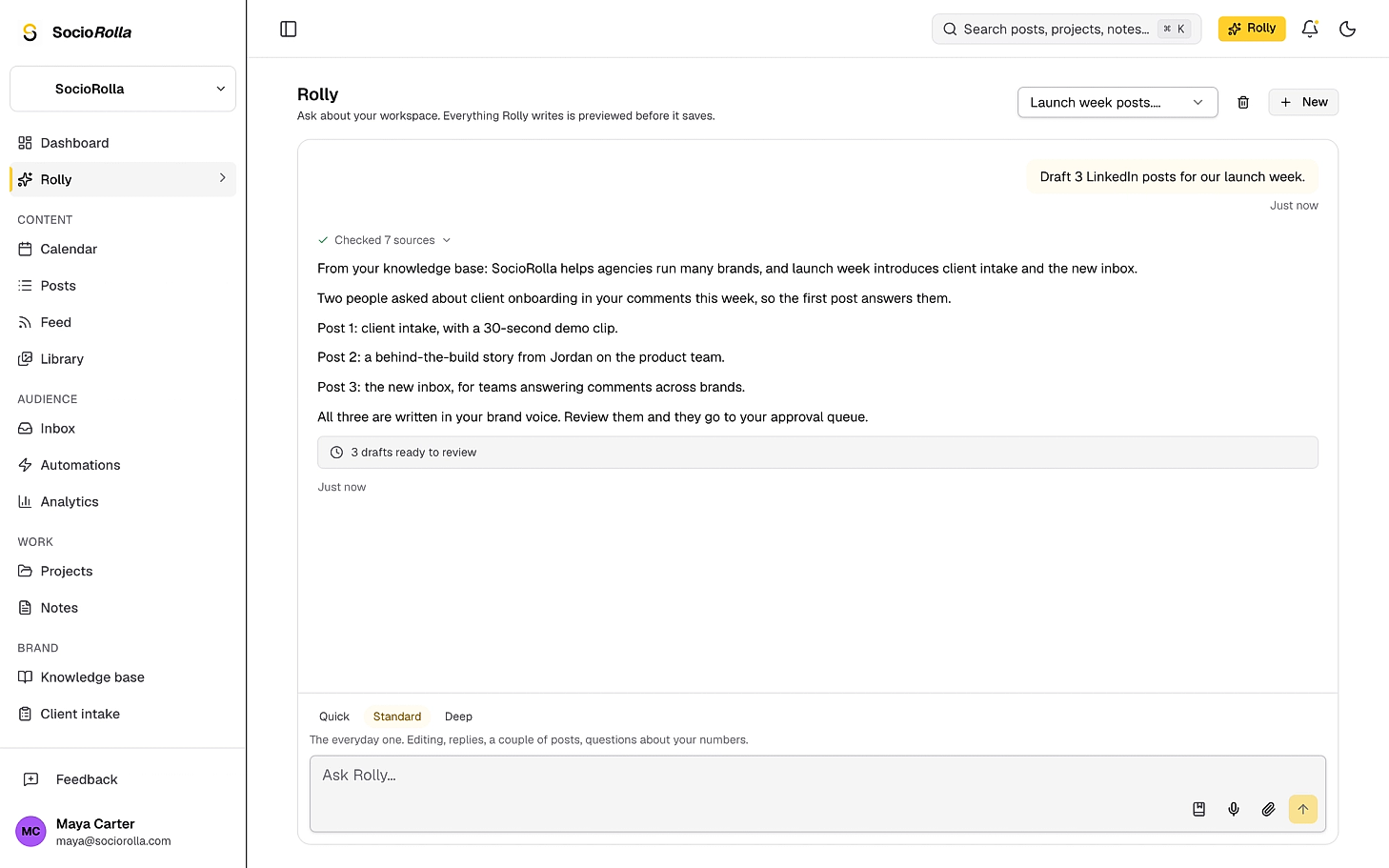
Rolly plans, drafts and explains from your brand’s own posts, comments and numbers. Everything it writes waits for you, and it has no way to publish.
What it takes off your hands
- A blank composer at 9pm on a Sunday
- Asking an AI that has never seen your brand
- Explaining the client’s voice again, every time
- Copying numbers into a message to answer “how did we do?”
- A draft built from your own notes and comments
- Answers grounded in this brand’s knowledge base
- The voice it writes in is the one you wrote down
- Ask about the numbers and get the numbers
It drafts. You decide.
Rolly’s writing tools do not change anything. They stage a set of changes, until you tick what you want and press Apply.
Apply what you want
Tick the changes you keep and leave the rest. Apply three of seven if that is the answer.
Undo for thirty days
Applied by mistake? The set can be put back, and it says when it was applied and when it was undone.
Warnings from the work, not the model
Posts with no date or no media are flagged by the workspace itself, before you apply them.
Three things do save straight away: a fact Rolly learns about your brand, a working note it remembers, and a workflow email step you have set to send without review. The first two leave a receipt you can undo.
What it cannot do, on purpose
It cannot publish
There is no publish tool to call. A post Rolly creates is pinned to draft again when the change is applied, by a separate check. Scheduling is a button you press.
It cannot delete anything for good
Deletes are soft, they sit in the bin for thirty days, and a published post is refused outright.
It cannot send a message
There is no tool for sending a DM, a comment or an email from a chat.
It cannot follow instructions it reads
Comments, DMs and web pages are marked as untrusted text before Rolly sees them, so a message that says “ignore your rules” is treated as content, not as an order.
Three depths, because not every question is the same
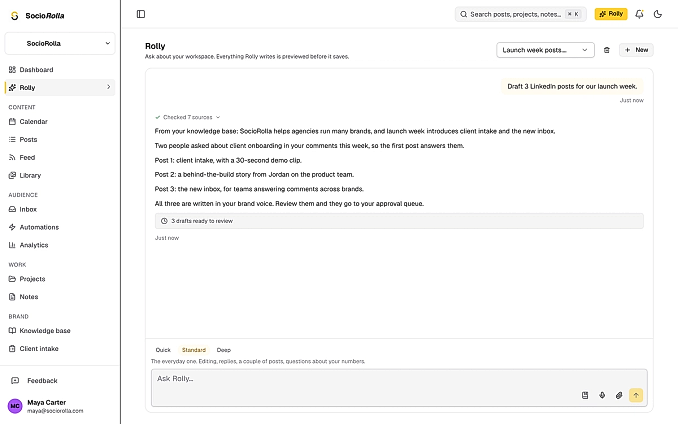
The switch sits under the box. Quick is for looking something up and carries no write tools at all; Deep is for the work that has to be right.
Quick
Looking something up: what went out last week, what is on Friday. It doesn’t write to anything at all.
Standard
The everyday one. Editing, replies, a couple of posts, questions about your numbers.
Deep
Writing that has to be good and thinking that has to hold up: a campaign, a month of content, working out why performance moved.
Where the answers come from
No pre-stuffed context, no guessing. Rolly starts with what the brand has written down and fetches the rest while it answers.
- The brand knowledge base: voice, audience, products, house rules
- Facts it has remembered, listed on a page where you can delete them
- Posts, tasks, notes and ideas it looks up as it answers
- Analytics: the overview, one platform, followers, demographics, best times
- Comments and DMs waiting for a reply
- A page or a file you hand it, read as untrusted text
- Web search, when your workspace has it configured
- Its own earlier conversations with your team
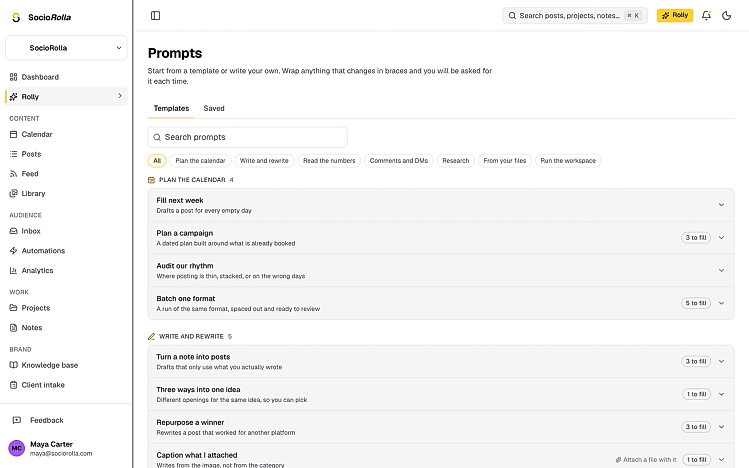
Thirty reusable prompts ready for your use
A prompt library in seven groups: plan the calendar, write and rewrite, read the numbers, comments and DMs, research, from your files, run the workspace. Anything that changes each time sits in braces, and you are asked for it.
- Fill next week, drafting a post for every empty day
- Turn a note into posts, using only what you actually wrote
- Repurpose a winner for another platform
- Save your own prompts beside the built-in ones
The things you do every Monday, done on Monday
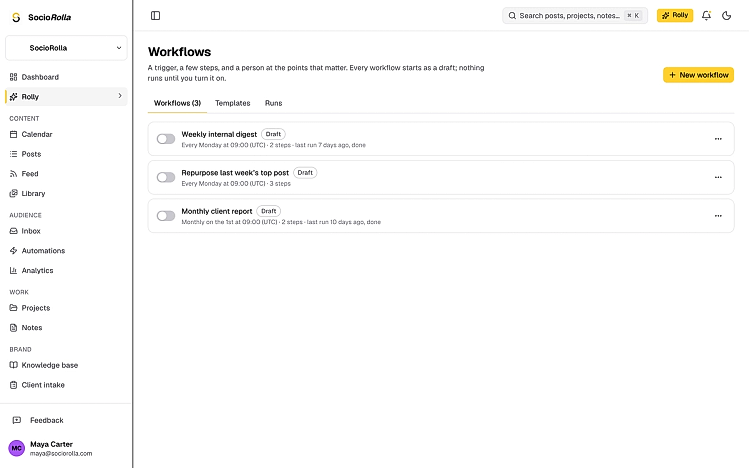
A workflow is a trigger, up to eight steps, and a person at the points that matter. Every one starts as a draft, and nothing runs until you turn it on.
Client report
Prepare a performance report with a share link.
Ask Rolly
Rolly does something with your workspace and stages the result.
Send an email
Email teammates or a client, with details from earlier steps.
Notify the team
A notification in the app, and by email if you want it.
- On a schedule, or when a post publishes, a task finishes or a comment lands
- A step can wait for approval, and it waits up to seven days
- Fourteen ready-made workflows, from a monthly client report to a comment triage
- Plans
- Pro and Max, with a monthly allowance per seat
- Workflow runs
- 1,500 a month on Pro, 5,000 on Max
- Attachments
- Images, PDFs, text and CSV. Five per message
- Kept for
- Ninety days, then the transcript and its files go
Everything in Rolly
- A chat on its own page, or a panel over whatever you are doing
- Quick, Standard and Deep, switched per message
- Drafts, edits, tasks, notes, ideas and projects, all staged for approval
- Apply part of a change set, and undo it for thirty days
- A prompt library of thirty templates, plus your own
- Workflows on a schedule or on an event, with approval gates
- Memory you can read and delete, per brand
- Ask about your numbers and get them read back to you
- Use it from Claude or ChatGPT through the connector
Questions about Rolly
Can Rolly publish a post?
No. There is no publish tool to call, and a post it creates is pinned to draft by a second, separate check when the change is applied. It can propose a date; arming the publisher is yours.
Can it delete something for good?
No. Deletes are soft and sit in the bin for thirty days, only posts, notes and ideas can be deleted at all, and a published post is refused outright.
Does anything save without me pressing Apply?
Three things, deliberately: a fact it learns about your brand, a working note it remembers, and a workflow email step you have set to send without review. The first two show a receipt with an undo.
What does Rolly know about my brand?
Your knowledge base, the facts it has remembered — every one of them listed on a page where you can delete them — and whatever it looks up while answering. Comments, DMs and web pages it reads are marked as untrusted text, so instructions hidden inside them are not followed.
Who can see my conversations?
Your team, unless a conversation is private to you. Workflow and connector runs are kept as records rather than shown as chats. Transcripts and their attachments are removed after ninety days.
Which plans include Rolly?
Pro and Max. Each includes a monthly AI allowance per billed seat, and when it runs out AI pauses until the next month rather than quietly getting worse.
Keep exploring
Manage accounts without the overwhelm
Bring one brand or twelve; SocioRolla helps you keep up.